
Hardware manual


Starting up fieldbus communication and programming the ABB PLC
69
Tool/Step
Setting up the communication
This section contains detailed instuctions on how to configure Profibus DP network
using the CodeSys program and SYCON.net configuring tool.
The instructions illustrate how the network is configured with the ready-made
project ABB_drives_PB_demo.pro. The CodeSys project
ABB_drives_PB_demo.pro is stored in the ABB library, “vault ID” part 2.
You can use ABB_drives_PB_demo.pro without changes or modify the selections
by using the instructions below. The example selections correspond to the ready-
made project.
CoDeSys
Create a new project
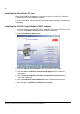
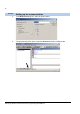
1. Open the AC500 Control Builder PS501 programming tool by double-clicking the
icon:
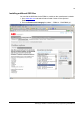
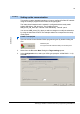
2. Select from the File menu New. Dialog box Target settings opens.
3. In the Configuration: box, select your CPU type (example: AC500 PM571 V1.2).
Click OK.
Installation path:
C:\Program Files\3S Software\CoDeSys V2.3\Codesys.exe