
Hardware manual


Starting up fieldbus communication and programming the ABB PLC
94
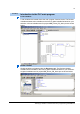
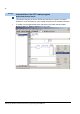
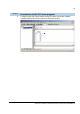
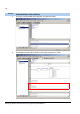
4. Name the function block as you wish and press Enter.
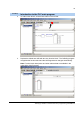
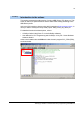
5. The Declare Variable assistant appears. In the Class dialog box, select the desired
variable class. The content of the Type box is configured automatically according to
the function block type. Click OK.
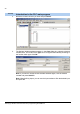
Note: If you want to call the Declare Variable assistant again, click the desired
variable and press Shift+F2.
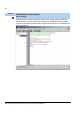
Note: When defining inputs, you can use the Input assistant. Click the desired input
and press F2.
Tool/Step
Introduction to the PLC main program