
User's Manual

Part 1: 802.11b Wireless LAN
1-40
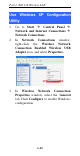
Use Windows XP Configuration
Utility
1. Go to Start
à
Control Panel
à
Network and Internet Connections
à
Network Connections.
2. In Network Connections window,
right-click the Wireless Network
Connection Enabled Wireless USB
Adapter icon, and select Properties.
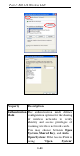
3. In Wireless Network Connection
Properties window, select the General
tab. Click Configure to enable Windows
configuration.