Part 1: 802.11b Wireless LAN
1-50
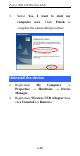
3. Select Yes, I want to start my
computer now. Click Finish to
complete the uninstalled procedure.
Uninstall the device
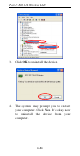
1. Right-click My Computer
→
Properties
→
Hardware
→
Device
Manager.
2. Right-click Wireless USB Adapter then
click Uninstall (or Remove).