
User's Manual



Part 2: USB Flash disk
2-3
Click Finish to complete the installation.
After the installing process is finished,
remove the cap from your USB Flash Dish
and plug the USB connector to the USB port
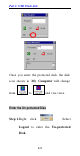
on your computer. Then, open My
Computer and you will see a newly added
icon; shown on the screen as a removable
disk drive.
Windows ME/2000/XP-No Driver is
Required
This device is Plug and Play compliant,
therefore, once you plug it into your
Window’ s based system, your system will
automatically detect it as a removable hard
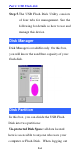
disk. You can go to My Computer to check
if there is a newly added icon. If yes, it is
ready for use. If not, you may have to check
if the USB Flash Disk is connected properly
to your USB port.