
User's Manual



Part 2: USB Flash disk
2-6
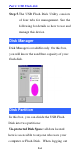
Step 5.The USB Flash Disk Utility consists
of four tabs for management. See the
following for details as how to use and
manage this device.
Disk Manager
Disk Manager is readable only. On this box,
you will know the used/free capacity of your
flash disk.
Disk Partition
In this box, you can divide the USB Flash
Disk into two partitions:
Un-protected Disk Space: all data located
here is accessible to anyone who uses your
computer or Flash Disk. When logging out