
User's Manual
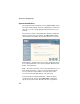
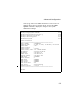
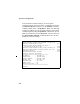
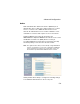
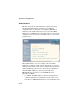
Table Of Contents
- Chapter 1 Introduction
- Chapter 2 Network Configuration
- Chapter 3 Hardware Installation
- Chapter 4 Initial Configuration
- Chapter 5 System Configuration
- Chapter 6 Command Line Interface
- Using the Command Line Interface
- Entering Commands
- Command Groups
- General Commands
- System Management Commands
- SNMP Commands
- Flash/File Commands
- RADIUS Client
- 802.1x Port Authentication
- Filtering Commands
- Interface Commands
- interface
- dns server
- ip address
- ip dhcp
- shutdown
- speed-duplex
- show interface ethernet
- radio-mode
- select-antenna-mode
- description
- ssid-broadcast
- closed-system
- speed
- channel
- ssid
- beacon-interval
- dtim-period
- fragmentation-length
- rts-threshold
- authentication
- encryption
- key
- transmit-key
- transmit-power
- max-association
- multicast-cipher
- wpa-clients
- wpa-mode
- wpa-preshared-key
- wpa-psk-type
- shutdown
- show interface wireless
- show station
- IAPP Commands
- VLAN Commands
- Appendix A Troubleshooting
- Appendix B Specifications
- Appendix C Cables and Pinouts
- Glossary
- Index

System Configuration
5-4
System Identification
The system information parameters for the SMC2552W-G can be
left at their default settings. However, modifying these parameters
can help you to more easily distinguish different devices in your
network.
You should set a Service Set Identification (SSID) to identify the
wireless network service provided by the SMC2552W-G. Only
clients with the same SSID can associate with the access point.
System Name – An alias for the access point, enabling the device
to be uniquely identified on the network. (Default: Enterprise AP;
Range: 1-22 characters)
SSID – The name of the basic service set provided by the access
point. Clients that want to connect to the network through the
access point must set their SSID to the same as that of the
access point. (Default: SMC; Range: 1-32 characters)
CLI Commands for System Identification – Enter the global
configuration mode, and use the system name command to
specify a new system name. Enter the wireless configuration