
User's Manual
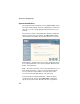
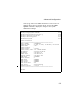
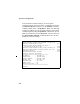
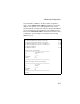
Table Of Contents
- Chapter 1 Introduction
- Chapter 2 Network Configuration
- Chapter 3 Hardware Installation
- Chapter 4 Initial Configuration
- Chapter 5 System Configuration
- Chapter 6 Command Line Interface
- Using the Command Line Interface
- Entering Commands
- Command Groups
- General Commands
- System Management Commands
- SNMP Commands
- Flash/File Commands
- RADIUS Client
- 802.1x Port Authentication
- Filtering Commands
- Interface Commands
- interface
- dns server
- ip address
- ip dhcp
- shutdown
- speed-duplex
- show interface ethernet
- radio-mode
- select-antenna-mode
- description
- ssid-broadcast
- closed-system
- speed
- channel
- ssid
- beacon-interval
- dtim-period
- fragmentation-length
- rts-threshold
- authentication
- encryption
- key
- transmit-key
- transmit-power
- max-association
- multicast-cipher
- wpa-clients
- wpa-mode
- wpa-preshared-key
- wpa-psk-type
- shutdown
- show interface wireless
- show station
- IAPP Commands
- VLAN Commands
- Appendix A Troubleshooting
- Appendix B Specifications
- Appendix C Cables and Pinouts
- Glossary
- Index

System Configuration
5-8
CLI Commands for TCP/IP Settings – From the global
configuration mode, enter the interface configuration mode with
the interface ethernet command. Use the ip dhcp command to
enable the DHCP client, or no ip dhcp to disable it. To manually
configure an address, specify the new IP address, subnet mask,
and default gateway using the ip address command. To specify
DNS server addresses use the dns server command. Then use
the show interface ethernet command from the Exec mode to
display the current IP settings.
SMC-AP(config)#interface ethernet 6-68
Enter Ethernet configuration commands, one per line.
SMC-AP(if-ethernet)#no ip dhcp 6-71
SMC-AP(if-ethernet)#ip address 192.168.1.2
255.255.255.0 192.168.1.253 6-69
SMC-AP(if-ethernet)#dns primary-server 192.168.1.55 6-68
SMC-AP(if-ethernet)#dns secondary-server 10.1.0.55 6-68
SMC-AP(config)#end 6-12
SMC-AP#show interface ethernet 6-72
Ethernet Interface Information
========================================
IP Address : 192.168.2.2
Subnet Mask : 255.255.255.0
Default Gateway : 192.168.1.253
Primary DNS : 192.168.1.55
Secondary DNS : 10.1.0.55
Admin status : Up
Operational status : Up
========================================
SMC-AP#