
Manual



12
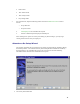
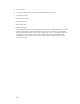
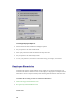
• Pay Period Type
• Next Pay Period Start Date (Only required for Semi-Monthly Pay Periods)
• Overtime Thresholds
• Pay Interval Rounding
• Max Time on Clock
• Day Change Offset
• Shifts and Lunches
At any time during the Pay Period Setup Wizard, the user may use the BACK button to review or
change previous settings. When all information is entered, the user must click on the FINISH
button to complete the process and to start the Attendance Rx services. Each of these settings can
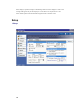
be changed at any time during normal operation using the Setup form of the Attendance Rx
Administrator. If the wizard is cancelled, the Attendance Rx will automatically run it again the
next time it is started.