
Manual




19
The Setup selection on the Attendance Rx system allows the user to adjust variables related to the
clock, time calculations, pay periods, and holidays. Most items can be changed at any time and
the change will be reflected in the total time accumulations.
To Change the Setup Options:
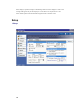
From the main window of Attendance Rx, click on the Setup icon or select Setup from the View
menu.
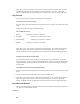
Adjust the following items as desired on the General Tab:
• Pay Period
• Overtime Thresholds
• 7th Day Overtime (California Overtime)
• Pay Interval Round
• Max Time On Clock
• Day Change Offset
• Time Card Approvals
• Salaried Employee Settings
Adjust the following items as desired on the Holiday Tab
• Holiday Dates
• Employee Qualification for Holidays