
User Guide


121
ADOBE INCOPY CS2
User Guide
Including metadata in a story
About metadata
Metadata is information about the file, such as its author, resolution, color space, copyright, and keywords applied
to it. You can use metadata to streamline your workflow and organize your files. This information is stored in a
standardized way using the Extensible Metadata Platform (XMP) standard on which Adobe Bridge and the Adobe
Creative Suite applications are built. XMP is built on XML, and in most cases the information is stored in the file so
that it isn’tlost. If it is notpossibletostore theinformation in thefileitself, XMP metadata is stored in aseparatefile
called a sidecar file.
Metadata that is stored in other formats, such as EXIF, IPTC (IIM), GPS, and TIFF, is synchronized and described
with XMP so that it can be more easily viewed and managed. Other applications and features (for example, Adobe
Version Cue) also use XMP to communicate and store information such as version comments. For instance, when
yousaveafile in VersionCue,you mightadd thecomment that yourotated thefilewhenyou worked on it.Later on,
you could use Bridge to navigate to that Version Cue project and search for the term “rotate” to locate that file.
In most cases the metadata remains with the file even when the file format changes, for example, from PSD to JPG.
Metadata is also retained when those files are placed in an Adobe InDesign layout.
You can use the XMP Software Development Kit to customize the creation, processing, and interchange of metadata.
For example, you can use the XMP SDK to add fields to the Content Information dialog box. More information on
XMP and the XMP SDK is available from the Adobe Solutions Network (
www.adobe.com/xmp
).
Adding metadata to files using the Content Information dialog box
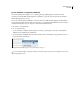
The Content Information dialog displays camera data, other file properties, and a history of edits made to the photo.
TheContent Informationdialogbox also displays copyrightand authorship informationthathas been addedtothe
file. The dialog box can also display custom metadata panels, if the application has installed them.
Note: You can also view metadata in the Metadata panel, in certain views in the content area, and by placing the pointer
over the thumbnail in the content area.
To add metadata to a document using the Content Information dialog box
You can add metadata to files using the Content Information dialog box. If you select multiple files, the dialog box
shows where different values exist for a text field. Any information you add to a field is applied to all the selected files.
1 Select one or more files.
2 Choose File > Content File Info.
3 Select any of the following from the list on the left side of the dialog box:
Description Lets you enter document information about the file, such as document title, author, description, and
keywords that can be used to search for the document. You can also choose text from the menu to the right of the
text fields. To specify copyright information, select Copyrighted from the Copyright Status pop-up menu. Then enter
the copyright notice string and the URL of the person or company holding the copyright.
Categories Lets you enter information based on Associated Press categories. You can also choose text from the
menu to the right of the text fields. The Categories option appears only if Adobe Photoshop is installed.
History Displays Adobe Photoshop history log information for images saved with Photoshop. The History option
appears only if Adobe Photoshop is installed.