
User Guide

165
ADOBE INCOPY CS2
User Guide
Tracking and reviewing changes
Tracking changes
One of the most valuable InCopy features is the ability to track changes made to a story by each contributor in the
writing and editing process. Whenever anyone adds, deletes, or moves text within an existing story, the change is
marked in Galley and Story views. You can see the date and time of each change in the Change Info palette, along
with the contributor’s name and type of change made.
Use the Track Changes toolbar in InCopy to turn Track Changes on or off and to show, hide, accept, or reject changes
made by contributors. Contributors can also make annotations on the screen using the Notes command.
When Track Changes is turned on, each change is marked by default as follows in Galley and Story view:
Preference settings let you choose a color to identify your changes, as well as select which changes (adding, deleting,
or moving text) you want tracked and the appearance of tracking. (See “To set change-tracking preferences” on
page 168.)
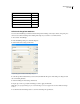
Added text Highlighted.
Deleted text Highlighted and marked with a strikethrough.
Moved (cut-and-pasted) text Highlighted and marked with a strikethrough in its original location; highlighted
and boxed in the new location.
If you cut text from one InCopy document and paste it into another, it is displayed as deleted text in the document
of its original location and as added text in its new location.
Copied text Highlighted in the new location. The original text is unchanged.
Change bars A change bar is a vertical line that appears to the left of a line of text that has been changed. You can
choose whether to show or hide change bars as you work. You can also specify what color to use for displaying the
change bars.
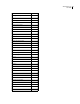
1
2
3
4
5
6
7
8
9
10
A
B
C
D
E
Negative space is used to masterful effect in
Botticelli's Primavera. Notice how a dark field
separatesisolates the central figure of Venus
from the others, as well as how the trunks of
the trees create a halo-like arch above her
head. Her position of visual privilege adds
gravity to her benediction-like gesture. Both
serve to draw attention to her, and Hher
position of visual privilege adds gravity to her
benediction-like gesture.
Change tracking shown in Galley view
A. Change bars B. Added text C. Deleted text D. Moved text (from) E. Moved text (to)
See also
“About editorial notes” on page 168
To track changes
1 Do any of the following:
• Open the story you want to edit, and then choose Changes > Track Changes in Current Story. A check mark
appears next to the option, indicating that it is active.
• Click the Track Changes in Current Story button in the Track Changes toolbar.