
User Guide



178
ADOBE INCOPY CS2
User Guide
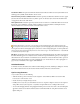
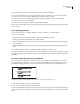
Copyfit Info as a floating palette
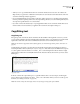
The Copyfit Info toolbar also includes options for displaying the number of lines, words, and characters, and the
vertical depth in the current selection, from the beginning of the current story to the current insertion point, or from
the current insertion point to the end of the current story. (See “To customize Copyfit Info settings” on page 178.)
When you show hidden characters (choose Type > Show Hidden Characters), InCopy displays a hash mark (#) at the
end of the last character to indicate the end of the text flow for a story. (See “To view hidden characters” on page 152.)
To customize Copyfit Info settings
• To add Copyfit Info controls, click the triangle on the right side of the Copyfit Info toolbar, choose Customize,
select which items you want to appear in the toolbar, and then click OK.
• To include footnote text in text statistics, choose Include Footnotes in Text Statistics from the Copyfit Info toolbar
menu.
• To define word count based on a specified number of characters rather than actual words, choose Define Word
Count from the Copyfit Info toolbar menu, select Count Every, specify the number of characters, and click OK.
• To stop updating text statistics while you type, turn off Update Info Automatically from the Copyfit Info toolbar
menu.
Editing overset text
If a story is linked to an InDesign layout, the story is limited to the frames the designer specifies. If you specified a
Depth setting when creating a stand-alone InCopy document, the story is limited to that depth. When you type more
than the allowed length of text, the text is overset.Whenthe storyis underset,there is spaceavailable to be filled with
text. As you write and edit, you can tell when your story fits perfectly into the InDesign layout. You can still edit
overset text.
In Galley view or Story view, overset text is set apart from the rest of the story by a copyfit break line. You use the
same procedures to write and edit the text, whether it is above or below the copyfit break line.
In Layout view, overset text is not visible, but the Copyfit Progress Info box indicates the number of overset lines in
the document.
If you’re writing or editing a linked story and using Layout view, you don’t need to do anything special when you
reachthe endofaframe. Theinsertion pointautomatically followsthe storythreadfromframe to frameasyou type.