
User Guide



214
ADOBE INCOPY CS2
User Guide
To change capitalization
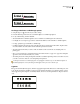
The Change Case command lets you change the case setting of selected text. The Change Case command is different
than AllCapsformattinginthatitactuallychanges theunderlyingcharactersinstead of merely changing theformat
appearance.
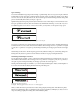
If you’re using an OpenType font, you may want to take advantage of All Caps formatting to create more elegant type.
(See
“To apply all caps or small caps to text” on page 213.)
1 Select text.
2 Choose one of the following in the Type > Change Case submenu:
• To change all characters to lowercase, choose Lowercase.
• To capitalize the first letter of each word, choose Title Case.
• To change all characters to uppercase, choose Uppercase.
• To capitalize the first letter of each sentence, choose Sentence Case.
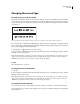
Note: The Sentence Case command assumes that the period (.), exclamation point (!), and question mark (?) characters
mark the ends of sentences. Applying Sentence Case may cause unexpected case changes when these characters are used
in other ways, as in abbreviations, file names, or Internet URLs. In addition, proper names may become lowercase when
they should be uppercase.
Formatting paragraphs
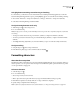
About the Paragraph palette
Use the Paragraph palette for attributes that apply to an entire paragraph. To view a description of each Paragraph
palette option, hold the mouse pointer over an icon until the tool tip appears.
To apply any kind of paragraph formatting, you don’t need to select an entire paragraph—you can select any word or
character, or just place the insertion point in the paragraph.
To format paragraphs using keyboard shortcuts, see “Keys for working with text” on page 284.
To format paragraphs
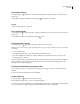
1 Select the Type tool
2 Do one of the following:
.
• Click in a paragraph to position the insertion point.
• Select a range of paragraphs.
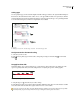
Note: When you press Enter or Return in text, you create a new paragraph with the same formatting as the previous
paragraph, unless a paragraph style assigns a different style.
3 Do one of the following:
• Choose Type > Paragraph to display the Paragraph palette.
• Choose Type > Tabs to display the Tabs palette.
4 Specify settings as explained in the related topics.