
User Guide


75
ADOBE INCOPY CS2
User Guide
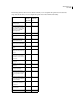
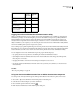
FTP Proxy Specifies the default FTP Proxy server for users importing projects from or exporting projects to an FTP
server, or publishing with GoLive to an FTP server.
HTTP Proxy Specifies the default HTTP Proxy server for users importing projects from or exporting projects to a
WebDAV server, or publishing with GoLive to a WebDAV server.
Color Scheme Sets the background colors of the tabs.
4 Click Save, and then restart Version Cue Administration.
Migrating from Version Cue 1.0 to Version Cue 2.0
If you currently use Version Cue 1.0, you need to migrate your projects and user data to Version Cue 2.0. Keep the
following in mind:
• Version Cue 1.0 and Version Cue 2.0 Workspaces can be installed and function on the same computer simulta-
neously.
• If VersionCue 1.0 andVersion Cue2.0 Workspaces areinstalled on thesamecomputer, AdobeCreativeSuite 1.0
components work only with the Version Cue 1.0 Workspace, because they can communicate only with the port
that the Version Cue 1.0 Workspace uses.
Note: If you uninstall the Version Cue 1.0 Workspace and then restart the Version Cue 2.0 Workspace, the Version Cue
2.0 Workspace then uses the Version Cue 1.0 Workspace’s port, allowing Adobe Creative Suite 1.0 components and Adobe
Creative Suite 2.0 components to work with the Version Cue 2.0 Workspace.
• If only the Version Cue 2.0 Workspace is installed, Adobe Creative Suite 1.0 components will work with it.
• Adobe Creative Suite 2.0 components work only with Version Cue 2.0 Workspaces.
• Adobe Creative Suite 1.0 components work with both Version Cue 1.0 and Version Cue 2.0 Workspaces simulta-
neously as long as the workspaces are not located on the same computer.
• You can import Version Cue 1.0 projects and users using the Administration utility (see “To migrate from Version
Cue 1.0 to Version Cue 2.0” on page 75).
To migrate from Version Cue 1.0 to Version Cue 2.0
1 After installing Version Cue 2.0, restart the Version Cue 1.0 Workspace. The activates a migration plug-in.
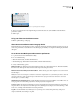
2 Log into the Version Cue Administration utility.
3 Click the Advanced tab, and then click Import Version Cue 1.0 Data.
4 Select the data you’d like to migrate to Version Cue 2.0:
• Projects and users. Click Next. Select the check box next to the name of any projects you want to import, and click
Next. Then, select the check box next to the name of any users you want to import, and click Next.
• Only projects. Click Next. Then, select the individual projects you want to import, and choose whether to import
all the users assigned to those projects (at this point, you cannot select individual users; you must import either all
users or no users). Click Next. If you choose to import the users, select the users you want to import, and click
Next.
• Only users. Click Next, and, in the next page, select the check box next to the name of any users you want to
import.
5 When the migration process is complete, verify the information you’re importing, and confirm the migration.