
Instruction manual


Maximum Series Portable Chiller : Air & Water-Cooled : M1 Series Instrument
Page: 33
ADVANTAGE ENGINEERING, INC.
525 East Stop 18 Road Greenwood, Indiana 46142
317-887-0729 Fax: 317-881-1277
Service Department Fax: 317-885-8683
Email: service@AdvantageEngineering.com
decrease (DOWN ARROW) the setpoint temperature. If
the push button is pressed momentarily the setpoint value
is incremented or decremented by one degree. If the push
button is held down the setpoint will increase or decrease
continuously.
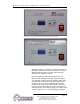
3. SETPOINT LOCK OUT JUMPER: This jumper controls
whether the user is allowed to reduce the setpoint below
48°F or 9°C. If the jumper is in position 1 (farthest from
the SPL label) the user IS NOT ALLOWED to reduce the
setpoint below 48°F or 9°C. If the jumper is in position 2
(closest to the SPL label) the user is allowed to reduce the
setpoint to 10°F or -11°C.
4. TEMPERATURE DISPLAY JUMPER: If this jumper is in the
“F” position, the To Process and Setpoint temperatures are
displayed in Fahrenheit. If the jumper is in the “C” position,
the To Process and Setpoint temperatures are displayed in
Celsius.
5. Probe Calibration: This pot (CALPOT 1) is used to
calibrate the probe circuit.
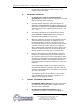
D. STATUS LIGHTS
1. COMPRESSOR: Illuminates when compressor is turned on.
2. CAPACITY CONTROL: Illuminates when capacity control
system is turned on.
3. REFRIGERANT FAULT: Illuminates when there is a high
pressure or low pressure fault. Check troubleshooting
section of this manual for more details.
High Pressure Fault. If
the chiller control detects
a high pressure condition
it will immediately turn off
the compressor and hot gas
bypass.
Low Pressure Fault. After
the compressor is turned
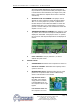
Setpoint Lock Out Jumper Temperature Display Jumper Probe Calibration
Figure 3.3B
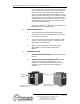
Figure 3.3C
Low Pressure Potentiometer.