
User manual


27 TPC-31/61 User Manual
Chapter 4 Windows CE
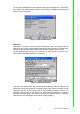
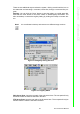
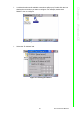
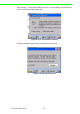
2. A window that shows all available connections will pop up. Double click the icon
that has the connection you want to configure. For example, double click
DM9CE1 icon to configure.
Figure 4.16 Selected Connection
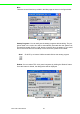
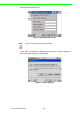
3. Select the “IP Address” tab.
Figure 4.17 Setting IP Address