
User`s guide




Getting Started with Return Loss Making a Return Loss Measurement
24 Agilent 81610A/11A/12A/13A/14A Return Loss Module, Fifth Edition
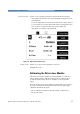
5 Move to [RLref>] and make sure that the displayed value is correct.
Set [RLref] to the value of the return loss of the reference reflection
you are using. For example, if you are using the Agilent 81000BR
reference reflector, set [RLref] to 0.18 dB.
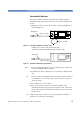
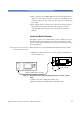
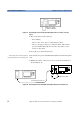
Figure 13 Measuring the Reflection Reference
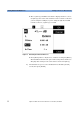
6 Press [Menu]. Move to <Reflectance calibration> and press [Enter].
The instrument measures the power reflected by the back reflector.
The [RL] value changes to the same value as entered for [RLref].
Tip An alternative step 6 is to select the Return Loss module’s [Detail]
screen, then press [RefCal]