
Technical data

Which Cleaning Procedure should I use ? 5
Cleaning Procedures 37
Procedure G
How to clean instruments with a physical
contact interface
Remove any connector interfaces from the
optical output of the instrument before you
begin the cleaning procedure. Cleaning
interfaces is difficult as the core diameter of
a single-mode fiber is only about 9µm. This
generally means you cannot see streaks or
scratches on the surface. To be certain of
the degree of pollution on the surface of
your interface and to check whether it has
been removed after cleaning, you need a
microscope.
To assess the projection of the emitted light beam you can use
an infrared sensor card. Hold the card approximately 5 cm from
the interface. The invisible emitted light is projected onto the
card and becomes visible as a small circular spot.
Preferred Procedure
Use the following procedure on most occasions.
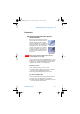
1 Clean the interface by rubbing a new, dry cotton swabover
the surface using a small circular movement.
2 Blow away any remaining lint with compressed air.
Procedure for Stubborn Dirt
Use this procedure when there is greasy dirt on the inter-face.
1 Moisten a new cotton swab with isopropyl alcohol.
2 Clean the interface by rubbing the cotton swab over the sur-
face using a small circular movement.
WARNING
Never look into an optical output, because this can
seriously damage your eyesight.
cleaning.book Page 37 Wednesday, May 22, 2002 5:16 PM