
Troubleshooting guide


7
Backlight (5-Day & 7-Day Models Only)
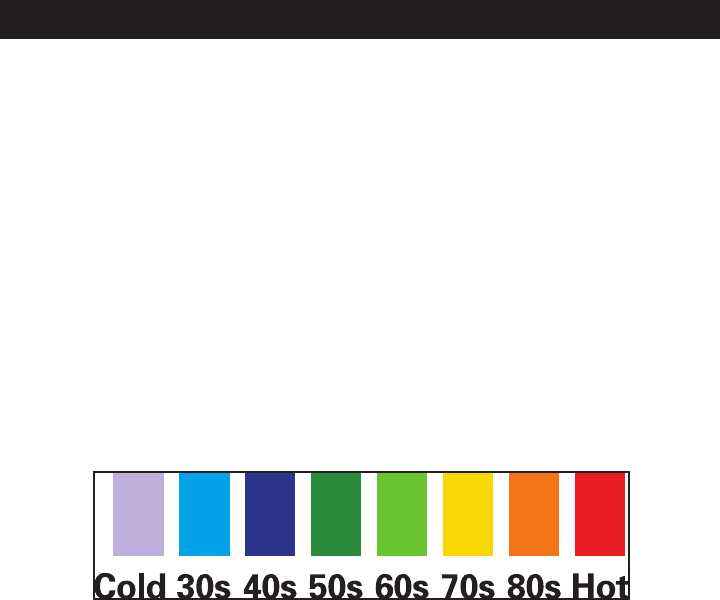
The color of the screen changes to reect the current temperature
(see below for a backlight color reference). The backlight is only
available when the
WeatherFX
is powered by the AC adapter
(not when operated by batteries alone). Please note, the backlight
will not activate until your
WeatherFX
receives its rst update.
Press the “Brightness” button on the rear panel to adjust the display
brightness to any of three settings (keep pressing it to cycle through
all settings): High / Low / Off. The default setting (when the unit
is rst plugged in) is “High”-a dimmer setting is available, or the
backlight may be turned off while the AC adapter remains connected
to conserve battery power.
Special Features (5 & 7 Day Models)
(5-Day & 7-Day Models, With AC Power Only)
Backlight Color/Temperature Range Reference