
User manual




3
Chapter 1 - Getting Started
1.1 Installation Instructions
Step 1:
Turn on your PC and place the installation CD into the CD-ROM drive.
Warning! DO NOT connect the Dino-Lite Digital Microscope USB cable to the PC before
driver installation.
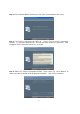
Step 2: The installation program will run automatically once the installation CD is placed into
the CD-ROM. This screen will appear. Press “Continue.”
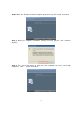
Step 3: The following screen will appear. Select “Driver Installation.”