
User manual




5
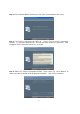
Step 7: When the “Ready to Install the Program” page comes up, click “Install” to continue.
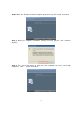
Step 8: When the “Software Installation” warning message appears, click “Continue
Anyway.”
Step 9: This screen will appear to notify you that installation has been successfully
completed. Click “Finish” to continue.