
User manual




6
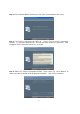
Step 10: You will be brought back to this screen. Choose “Exit,” and plug-in the Dino-Lite
Digital Microscope USB cable.
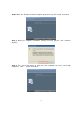
Step 11: Once you have connected the microscope to your computer via the USB
connector, the “Found New Hardware Wizard” window will appear. Select “No, not this time”
and click “Next” to continue.
Step 12: When the “Found New Hardware Wizard” brings you to this page, we recommend
that you select the option “Install the software automatically” and click “Next” to continue.