
User manual




7
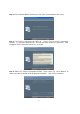
Step 13: When the “Hardware Installation” warning message appears, click “Continue
Anyway.”
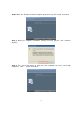
Step 14: When the “Found New Hardware Wizard” has completed the installation, click
“Finish.” After the window closes, check on your desktop for the Dino-Lite icon. If you
cannot find it there, go to “Start” “All Programs” “Dino-Lite Digital Microscope.
NOTE: Before you attempt to initialize the Dino-Lite Digital Microscope, make sure it is
connected to the USB port of your computer. If you have more than one USB port,
depending on your computer, it may prompt you to install the hardware again on different
USB port. To avoid this, try connecting the microscope to the same USB port you originally
installed it through. The screen below will appear if the Dino-Lite Digital Microscope is not
yet installed completely when opening the DinoCapture.