
Specifications


36 Implementing UPS Configurations with Microsoft Cluster Server
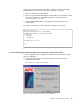
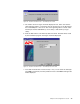
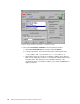
2. Select the Custom option and click Next. This displays Figure 26.
Figure 26. Install PowerChute PLUS — select components
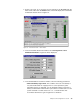
3. Select the boxes to install the components you wish to install. Select
PowerChute PLUS Client and PowerChute PLUS UPS Service. The other
components are optional. Click Next to display the Select Components
window.
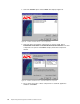
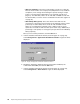
Figure 27. Install PowerChute PLUS — automatic shutdown components
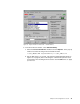
4. Do not check any boxes of these components for automatic application
shutdown. Click Next.