
Specifications


42 Implementing UPS Configurations with Microsoft Cluster Server
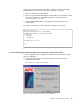
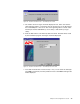
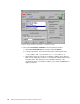
Figure 36. Single UPS Run Command File — Low Battery Condition
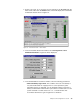
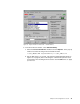
9. Now select Low Battery Condition in the Event Actions window.
a. Check Run Command File the checkbox and click Options.
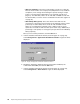
b. In the pop-up window, insert the following in the Command File field:
“C:\UPS_CMD\UPS.CMD” SingleUPSOnBattery >> C:\UPS_CMD\LOG.TXT
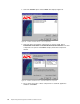
c. Set the Wait value to 0 seconds. A low battery condition means that the
UPS can only supply the systems for a short period and immediate actions
must take place. This wait time forces immediate execution of the
command file when a low battery condition occurs. Click the OK button to
apply your choices.