
Specifications



60 Implementing UPS Configurations with Microsoft Cluster Server
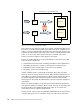
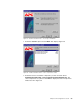
Figure 59. Install PowerChute PLUS — automatic shutdown components
3. Do not check any boxes of these components for automatic application
shutdown. Click Next. The window shown in Figure 60 will be displayed.
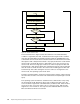
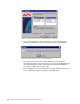
Figure 60. Install PowerChute PLUS — select UPS parameters
4. First, make sure that the current node’s COM port is connected via a
smart-signaling cable to the PC interface port of the corresponding UPS. The
smart-signaling cable is a black cable with the part number 940-0024C (a
short cable) or 940-1524C (a longer cable).
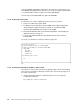
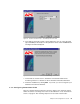
5. Click the Yes button to automatically detect the UPS. The UPS will be found
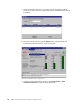
by the installation program and Figure 61 will be displayed.