
Operating instructions



2-11
Informational Screens
The S10 and S15 Power Conditioners with Battery Backup provide the following
informational screens, accessed using the STATUS push button:
• Source: XXXXXXX screen
• FW Version: XXXXXXX screen
• Model Number and Serial Number screen
• Phone Number and Technical Support Internet Address screen
• Input Frequency; Output Frequency screen
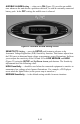
SOURCE: XXXXXXX; EST. RUNTIME: XHRS Screen
This screen, shown in Figure 17, shows which source the unit is providing power
from (UTILITY, BATTERY, or STANDBY). It also displays the Estimated
Runtime (in hours) based on the power source and connected equipment load. In
Standby mode, the unit does not provide an output to the rear panel outlets.
Note: Whenever the S10 or S15 is connected to utility power, the electronics
inside of each unit are active. If the front panel Power Switch is turned
off, the unit goes into Standby mode and shuts off power to the
rear-panel outlets, but the display remain active.
Figure 17. SOURCE: XXXXXXX; EST. RUNTIME: XHRS Screen