
User`s manual


User Manual version 2305
APOLLO 120/150 IV
7-100
: Move Enter: Select +/-/PU/PD: Value F10: Save
ESC: Exit F1: General Help F5: Previous Values F6: Fail-Safe Defaults
F7: Optimized Defaults
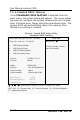
7.4.2. Standard CMOS Features
If the STANDARD CMOS FEATURE is selected from the
main menu, the screen below will appear. This menu allows
the users to configure the system components such as date,
time, hard disk drive, floppy disk drive and display type. The
system BIOS will automatically detect the memory size;
therefore no setting is needed.
Phoenix - Award BIOS Setup Utility
Standard CMOS Features
Item Help Date (mm: dd: yy) Thu. Jan. 16 2003
Time (hh: mm: ss) 11:45:58
Ø IDE Primary Master
Ø IDE Primary Slave
Ø IDE Secondary Master
Ø IDE Secondary Slave
Drive A (1.44M, 3.5 in.)
Drive B (None)
Video (EGA/VGA)
Halt On (All, But Keyboard)
Panel Scaling (Auto)
Panel Number (Setting By H/W)
Base Memory 640K
Extended Memory 65472K
Total Memory 1024K
Menu Level
Change the day, month,
year and century