
User`s manual


User Manual version 2305
APOLLO 120/150 IV
7-111
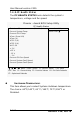
u FLASH ROM WRITE
u ONBOARD LAN FUNCTION
u INIT DISPLAY FIRST
This item allows you to decide to active which bus first (PCI
Slote or Onboard/AGP).
The choice: PCI Slot or Onboard/AGP
u IDE HDD BLOCK MODE:
Block mode is also called block transfer, multiple commands,
or multiple sector read/write. If your IDE hard drive supports
block mode (most new drives do), select Enabled for
automatic detection of the optimal number of block
read/write per sector the drive can support.
The choice: Enabled or Disabled.
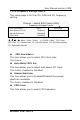
u POWER ON FUNCTION
u KB POWER ON PASSWORD
This item can be used to prompt the used for a password
when the system power is resumed by keyboard action.
The choice:
u HOT KEY POWER ON
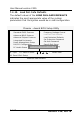
u ONBOARD FDC CONTROLLER
Select Enabled if your system has a floppy disk controller
(FDC) installed on the system board and you wish to use it. If
you install and-in FDC or the system has no floppy drive,
select Disabled in this field.
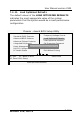
u ONBOARD SERIAL PORT 1/PORT 2/PORT 3/PORT 4
Select an address and corresponding interrupt for the first
and second serial ports.
The choice: 3F8/IRQ4, 2F8/IRQ3, 3E8/IRQ10, 2E8/IRQ11,
Disabled or Auto.
u ONBOARD PARALLEL PORT 1:
This item allows you to determine access onboard parallel
port controller with which I/O address.