
User`s manual


User Manual version 2305
APOLLO 120/150 IV
7-113
: Move Enter : Select +/-/PU/PD: Value F10: Save
ESC: Exit F1: General Help F5: Previous Values F6: Fail-Safe Defaults
F7: Optimized Defaults
7.4.6. Power Management Setup
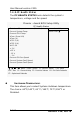
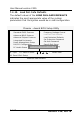
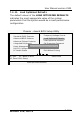
If the POWER MANAGEMENT SETUP option is selected
from the main menu, the screen below will appear. The
following sample screen consists of the default values for PC
710.
Phoenix - Award BIOS Setup Utility
Power Management Setup
Item Help ACPI function (Enabled)
ACPI Suspend Type (S3 (STR))
Run VGABIOS if S3 Resume (No)
Power Management (User Define)
Video Off Method (DPMS)
Video Off In Suspend (Yes)
Suspend Type (Stop Grant)
Modem Use IRQ (3)
Suspend Mode (Disabled)
HDD Power Down (Disabled)
Soft-Off by PWR BTTN (Instant Off)
Wake-Up by PCI Card (Enabled)
Power-On by Ring/LAN (Enabled)
USB KB Wake-Up From S3 (Disabled)
Resume by Alarm (Disabled)
X Date (of Month) Alarm 0
X Time (hh: mm: ss) Alarm 0 : 0 : 0
** Reload Global Timer Event **
Primary IDE 0 (Disabled)
Primary IDE 1 (Disabled)
Secondary IDE 0 (Disabled)
Secondary IDE 1 (Disabled)
FDD/COM/LPT Port (Disabled)
PCI PIRQ (A-D)# (Disabled)
Menu Level