
Computer Personal Computer User's Manual

If you see the Macintosh desktop
1Press the Open/Close button of your CD-ROM drive to open the CD-ROM tray.
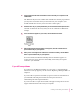
2Place the
Macintosh Performa CD: Performa Software
in the tray with the disc label
facing up.
Make sure the disc is lying flat in the tray.
3Push the tray in, or press the Open/Close button, to close the tray.
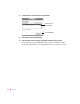
4Hold down the C key on your keyboard while you choose Restart from the Special menu.
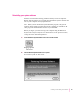
Continue to hold down the C key until you see the “Welcome to Macintosh”
message.
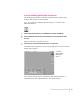
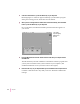
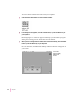
In a few seconds the Macintosh desktop with the Launcher appears.
Now continue with the steps in “Reinstalling Your System Software” or
“Reinstalling All Your Original Software.”
94
Chapter 7
Your screen
may look slightly
different from
this one.