
Computer Personal Computer User's Manual
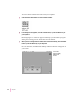

To restore all the software that came with your computer:
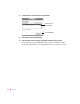
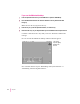
1Click the Restore All Software icon in the Launcher window.
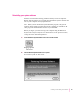
2In the dialog box that appears, click the Continue button, or press the Return key on
your keyboard.
Restoring begins. A status box appears and keeps you informed of progress
during the restoring process, which takes several minutes.
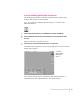
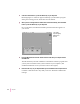
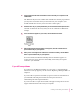
3When you see a message that the software was restored successfully, click the Restart
button or press the Return key on your keyboard.
In a few moments, the Macintosh desktop with the Launcher will appear on
your screen.
98
Chapter 7
Your screen
may look slightly
different from
this one.