
User Guide

IV. FAQ!
!
Is it possible to install MAMP on an external drive?!
No, MAMP has to be installed on the system drive.!
!
Is MAMP compatible with Mac OS X 10.9 (Mavericks)?!
Yes, MAMP is indeed compatible with Mac OS X 10.9 (Mavericks).!
!
What does MAMP stand for?!
The abbreviation "MAMP" stands for: Macintosh, Apache, MySQL and PHP.!
!
Where can I download MAMP?!
Get the latest version of MAMP from our website www.mamp.info.!
!
Where can I find the log files?!
All log files are stored in: /Applications/MAMP/logs/!
!
Which Apache modules are included?!
Apache modules are located in the /Applications/MAMP/Library/modules folder.!
!
Which PHP modules are included?!
To find out which PHP modules are included, use the following procedure. Start the
servers and direct your web browser to http://localhost:8888/MAMP/ and click on the
phpInfo tab at the top of page.!
!
!
V. How-To’s!
!
How can I change the password of the MySQL root user?!
!
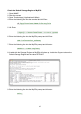
Open the Mac OS Terminal Application (located in "/Applications/Utilities") and enter the
following command line:!
!
/Applications/MAMP/Library/bin/mysqladmin -u root -p password
<NEWPASSWORD>
!
replace <NEWPASSWORD> with your new password.!
!
Please bear in mind that you also have to change the phpMyAdmin configuration and
probably your own php scripts to use the newly created MySQL password. For changing
the phpMyAdmin configuration edit the file /Applications/MAMP/bin/phpMyAdmin/
config.inc.php and update the password.!
!
!
9