
User`s guide

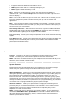




T appears when the Wireless Test Mode is active.
MSG appears when there is a message waiting for you.
BATT appears when the battery is low.
Drop Allows you to disconnect any call or drop the last person added to a
conference call. (The unlabeled Drop button is located in the lower right corner of
the LCD display.)
Hold Puts a call on hold until you can return to it. While a call is on hold, you can
leave your telephone to perform another task or pick up a call on another call
appearance.
Mute Turns off the microphone of the handset or the headset. Use when you want
to confer with someone in the room with you, but you do not want the other party on
the call to hear your conversation.
Out-of-Range Indication While the set is still active, it gives an audible indication
(double beep) and visual indication (the RANGE icon appears on the LCD display)
when the handset is getting out of range of the radio module.
Test (Local Test) Allows you to verify the operation of all visual and audio warning
signals.
Test (Wireless Test) Allows you to determine voice quality and signal strength and
identify the carrier assembly slot in which your handset’s radio module has been
placed (terminal identification).
Transfer Transfers a call from your telephone to another extension or outside
number. Use when your caller needs to speak further with someone else.
Note: Calls from an outside number to your telephone can be transferred only to an
extension, not to another outside number.
System Features
These features must be administered for your telephone by the system manager.
Check with your system manager to see which features you can use.
Abbreviated Dialing Allows you to store selected number groups for quick and easy
dialing of frequently called, lengthy, or emergency numbers. Any number group can
be a complete or partial telephone number, an extension number, a trunk, or a
feature access code. There are four possible types of lists—personal, group, system,
and enhanced—and you can use as many as three out of these four (see your system
manager for details). Numbers on a personal list are programmable by you; numbers
on all other lists are programmable only by the system manager.
Automatic Callback Sends you a special 3-burst ringing tone indicating that a
previously busy or unanswered extension is now available. Use to avoid constant
redialing when you want to speak to someone who is frequently busy on the
telephone or in and out of the office.
Note: Can be used only for extensions, not outside numbers. If your telephone is
connected to DEFINITY G2 or System 85, the Automatic Callback feature works
only with extensions that were busy; that is, it does not work with extensions at
which the person did not answer.
7