
User`s guide

Accessing Items in Lists 110
Synapse SB67030/031 Deskset & Accessories User’s Guide Back to Contents
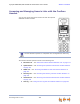
Accessing and Managing Items in Lists with the Cordless
Handset
You can also access the phone number lists with the optional
SB67040 Cordless Handset.
All instructions start from the Idle screen.
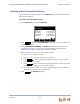
The Cordless Handset provides access to the following lists:
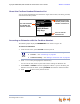
Extension List — See “About the Cordless Handset Extension List” on page 111
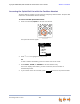
Quick-Dial List — See “Accessing the Quick-Dial List with the Cordless Handset”
on page 112
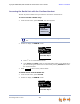
Redial List — See “Accessing the Redial List with the Cordless Handset” on
page 113
Directory List — See “Accessing the Directory with the Cordless Handset” on
page 124
Voicemail List — See “Accessing Personal Voicemail with the Cordless Handset”
on page 145
Call Log — See “Using the Call Log with the Cordless Handset” on page 161.
Cordless Handset operation is compatible with Call Appearance mode only.