
User`s guide

Accessing Items in Lists 113
Synapse SB67030/031 Deskset & Accessories User’s Guide Back to Contents
Accessing the Redial List with the Cordless Handset
The last 20 phone numbers that you dialed are recorded in the Redial list.
To access and dial a Redial entry:
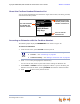
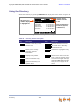
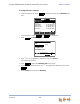
1. From the Idle screen, press OPTIONS. The menu appears.
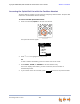
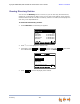
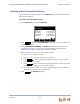
2. Press 1 to display the REDIAL screen.
Press or to view Redial entries.
Press SELECT or PHONE to dial out the highlighted number in the Redial list. If
you are accessing the Redial list from Idle mode, pressing SPEAKER also dials
the selected number.
3. Press to return to the previous mode.
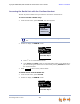
To delete entries from the Redial list:
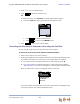
1. From the Idle screen, press OPTIONS.
2. Press 1 to display the REDIAL screen.
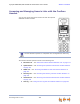
12:30p Feb 23
2 Missed Calls
5 New MSGs
EXT 249
John Smith
CIDEXI T
OPTIONS
1. Redial
2. Page All
3. Parked Calls
4. Extension List
Similar menus appear when you press OPTIONS during an active or held
call.
Mary Williams
9-1-888-722-7702
May 23 8:55a
Wanda Peters 8:23a
Graham Bell
May 22
REDIAL
1/13
EXIT
Mary Williams
9-1-888-722-7702
May 23 8:55a
Wanda Peters 8:23a
Graham Bell
May 22
REDIAL
1/13