
User`s guide

Deskset Settings 176
Synapse SB67030/031 Deskset & Accessories User’s Guide Back to Contents
User Settings
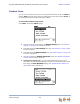
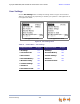
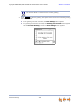
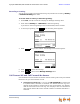
Use the User Settings menu to modify the settings shown in Figure 52 and listed in
Table 24. User Settings vary depending on whether your system is in Call Appearance or
Line Appearance mode.
Figure 52. User Settings Menu
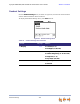
Table 24. Deskset Menu – User Settings
Call Appearance mode See page... Line Appearance mode See page...
1. Greetings 177 1. Greetings 177
2. Call Forward All 179 2. Voicemail Memory 182
3. Auto Answer 181 3. Cordless Settings 185
4. Voicemail Memory 182 4. Password 191
5. Name Recording 183 5. Voicemail to Email 192
6. Cordless Settings 185
7. Password 191
8. Voicemail to Email 192
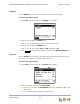
Call Appearance mode
Line Appearance mode