
User`s guide

Deskset Settings 177
Synapse SB67030/031 Deskset & Accessories User’s Guide Back to Contents
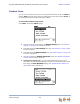
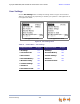
To display the User Settings menu:
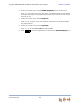
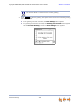
1. Press MENU and then 2. The User Settings menu appears.
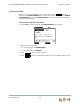
2. If you have set a user password, the User Password screen appears before the User
Settings menu appears.
Enter your password and press SELECT.
To correct errors, use the key.
To cancel your changes on that screen, press at any time. The Deskset
will return to the previous screen.
Greetings
You can have three different greetings for your Voicemail. You can then choose the one
that is currently appropriate. You can record a Primary Greeting to use most of the
time and an Alternate Greeting for when you are out of the office. The Pre-Set
Greeting, “Please leave a message after the tone,” is used when no other greeting is
recorded.
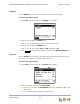
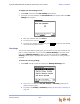
To select the current greeting:
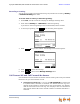
1. Press MENU, then 2, and then 1 to display the Message Greetings menu.
Press or to select the Pre-Set, Primary, or Alternate greeting to be
played to outside callers.
To record a new Primary or Alternate greeting, see “Recording a Greeting” on
page 179.
Backspc
Cancel