
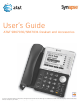
User`s guide

6
Synapse SB67030/031 Deskset & Accessories User’s Guide
Deskset Settings ........................................................................................ 170
Deskset Menu......................................................................................................................................................171
Deskset Settings ................................................................................................................................................172
Display ...................................................................................................................................................173
Sounds ...................................................................................................................................................173
Preferred Audio.................................................................................................................................175
User Settings........................................................................................................................................................176
Greetings ..............................................................................................................................................177
Recording a Greeting.............................................................................................................179
Call Forward All and Call Forward–No Answer ................................................................179
Automatic Answering .....................................................................................................................181
Voicemail Memory............................................................................................................................182
Name Recording ...............................................................................................................................183
Registering an Optional Cordless Handset .........................................................................185
Registering an Optional Cordless Headset .........................................................................186
Deregistering a Cordless Handset or Headset ..................................................................187
Deregistering the Cordless Handset or Headset without the Deskset.........189
Cordless Accessory Registration and Deregistration Time-Out................................190
Setting and Changing Your Password ...................................................................................191
Setting the Voicemail to Email Mode.....................................................................................192
Admin Settings....................................................................................................................................................193
Deskset Information.........................................................................................................................................194
Using Do Not Disturb (DND) ........................................................................................................................195
Auto-Attendant Settings................................................................................................................................196
Cordless Handset Settings............................................................................................................................198
Setting Cordless Handset Contrast .........................................................................................199
Setting the Cordless Handset Sounds ...................................................................................199
Setting the Cordless Handset Ringer and Voice Volume ....................................200
Setting the Cordless Handset to Factory Default............................................................201
Viewing the Cordless Handset Product ID...........................................................................201
Web Interface ............................................................................................. 202
Accessing the Web User Interface (WebUI).........................................................................................203
Error Handling....................................................................................................................................205
Basic Settings......................................................................................................................................................206
Extension Directory ..........................................................................................................................................208
Quick-Dial Keys ..................................................................................................................................................210
Voicemail Distribution .....................................................................................................................................211
Help ..........................................................................................................................................................................214
Troubleshooting ......................................................................................... 215
Common Troubleshooting Procedures...................................................................................................216
Display Messages...............................................................................................................................................218
Calls Generally....................................................................................................................................................220
Incoming Calls.....................................................................................................................................................224
Outgoing Calls ....................................................................................................................................................226
Voicemail ...............................................................................................................................................................228
Other Deskset Features..................................................................................................................................231
WebUI......................................................................................................................................................................234