
User`s guide

Incoming Calls 59
Synapse SB67030/031 Deskset & Accessories User’s Guide Back to Contents
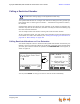
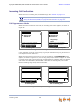
If your company has caller ID, the Incoming Call screen displays caller information. If
the caller ID information is absent because it is unavailable, UNKNOWN NAME and
UNKNOWN NUMBER display. If the caller chooses not to send the information, PRIVATE
NAME and PRIVATE NUMBER display.
When there are no available Call Appearances, incoming calls are forwarded
according to the Call Forward–No Answer setting customized by the system
administrator. The default setting for Call Forward–No Answer is Voicemail.
To see incoming call notifications on the Cordless Handset, see “Incoming Call
Indication” on page 68.
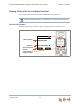
Line Appearance Mode
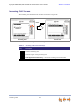
When there are no active or held calls, the incoming call appears as shown in Figure 26
on page 58 (the soft key does not appear).
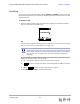
If someone at another Deskset answers the call, your Deskset returns to Idle mode.
FwdVM