
User`s guide

Accessing Items in Lists 114
Synapse SB67030 Deskset and Accessories User’s Guide
Accessing the Quick-Dial List
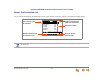
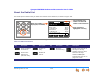
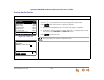
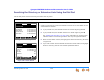
The Quick-Dial list shown in Figure 125 provides up to six entries for frequently called numbers and is available in all modes.
To access and dial Quick-Dial entries:
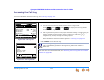
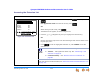
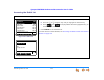
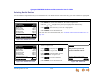
Figure 124. Quick Dial
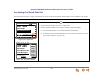
Figure 125. Quick-Dial Entries
1. Press the button to the right of , as shown in Figure 124.
Quick-Dial labels appear, as shown in Figure 125.
2. Press a Quick-Dial button to the right of a label to dial that number.
The Quick-Dial entries are not associated with the Directory.
To do this with the Cordless Handset, see “Accessing the Quick-Dial List with
the Cordless Handset” on page 125.
DNDDNDDND CallFw d Page Mor e 1/ 2
Quick
Dial
12:30PM Thu Feb 25 2010
2 New Missed Calls
5 New Messages
Press or to move highlight, then
press
SELECT
.
EXT 249
John Smith
12:30PM Thu Feb 25 2010
EXT 249
John Smith
2 New Missed Calls
0 New Messages
Kat e
Press key next to name to call
the quick dial number.
En r i co
Doug
<Em pty>
Titan
<Em pty>
Edit Lis t Back