
User`s guide

Accessing Items in Lists 118
Synapse SB67030 Deskset and Accessories User’s Guide
Storing Redial Entries
To store a Redial entry into your Personal list:
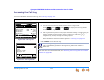
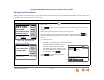
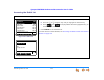
Figure 132. Redial List
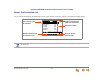
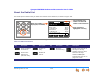
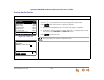
Figure 133. Personal Entry
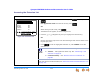
1. Press REDIAL to access the Redial list, as shown in Figure 132.
2. Press the or navigation key until you highlight the desired entry.
3. Press . The screen shown in Figure 133 appears.
The Deskset automatically fills in the name and number, if available.
If necessary, edit the name and number. Press the navigation key to move
the cursor to the Last Name and Phone # entries.
4. Press to save the entry.
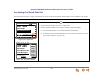
To call, press SELECT or Call.To call, press SELECT or Call.
Redial 1/12
Quick
Dial
Delete Mor e 1/2Store
Mary Williams 8:55a
9-1-888-722-7702 May 23
Wanda Peters 8:23a
Unknow n Caller May 22
9-1-533-555-0124 May 22
Charlie Johnson
May 20
9-1-788-555-0139 May 20
Call
To call, press SELECT or Call.
Personal Entr
y
Fir s t Na m e :
Mary Williams
Last Name:
Phone #:
9-1-888-722-7702
Quick
Dial
Save Backspc
Use dial pad to enter letters.
The system does not check for duplicate entries.