
User`s guide

Accessing Items in Lists 119
Synapse SB67030 Deskset and Accessories User’s Guide
Deleting Redial Entries
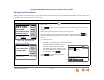
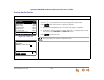
You can delete a single Redial entry from the Redial list or all Redial entries. Ensure the entry you wish to delete is highlighted.
To delete a single entry:
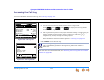
Figure 134. Redial List, 1 of 2
1. Press REDIAL to access the Redial list, as shown in Figure 134.
2. Press the or navigation key until you highlight the desired entry.
3. Press . The next entry in the list is highlighted.
4. Press CANCEL to exit the Redial list.
To do this with the Cordless Handset, see “To delete entries from the Redial list:” on
page 127.
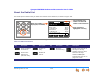
To delete all Redial entries:
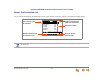
Figure 135. Redial List, 2 of 2
1. Press REDIAL to access the Redial list, as
shown in Figure 134.
2. Press to display the soft
key, as shown in Figure 135.
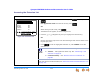
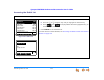
3. Press . A Confirmation screen
appears, as shown in Figure 136.
4. Press to confirm deletion.
5. Press CANCEL to exit the Redial list.
Redial 1/12
Quick
Dial
Delete Mor e 1/2Store
Mary Williams 8:55a
9-1-888-722-7702 May 23
Wanda Peters 8:23a
Unknow n Caller May 22
9-1-533-555-0124 May 22
Charlie Johnson May 20
9-1-788-555-0139 May 20
To call, press SELECT or Call.
Call
Redial 1/12
Quick
Dial
Mary Williams 8:55a
9-1-888-722-7702 May 23
Wanda Peters 8:23a
Unknow n Caller May 22
9-1-533-555-0124 May 22
Charlie Johnson May 20
9-1-788-555-0139 May 20
To call, press SELECT or Call.
Details DelA ll Mor e 2/2
Yes No
Press Y es to delete all entries. Press No
to cancel.
Redial
Are you sure you want to
delete all Redial entries?
Figure 136. Delete All