
User`s guide

Deskset Settings 221
Synapse SB67030 Deskset and Accessories User’s Guide
Operator Auto-Attendant Settings
If your Deskset is the operator extension, you can set the status of the Auto Attendant.
Auto-Attendant Settings apply to Call Appearance mode only.
To display the Auto-Attendant Settings menu:
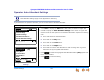
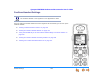
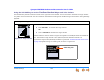
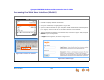
Figure 307. Operator Menu
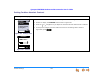
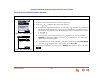
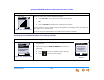
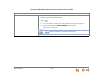
Figure 308. Auto-Attendant
Settings
1. Press MENU to display the Menu with a fifth choice, as shown in Figure 307.
2. Press 5 to display the Auto-Attendant Settings screen shown in Figure 308.
Choose one of the five options to set the Auto Attendant’s response to incoming
calls.
Press 1 to follow the scheduled times.
Press 2 to use the Day menu.
Press 3 to use the Lunch menu.
Press 4 to use the Night menu.
Press 5 to turn off the Auto Attendant so that incoming calls ring at the
extensions set by the system administrator.
3. Press to select the highlighted Auto-Attendant status. [Set] appears next
to the selected status.
4. Press to save the setting.
Menu
Quick
Dial
1. Deskset Settings
2. User Settings
3. Admin Settings
4. Deskset Information
5. Auto Attendant Settings
Use or to scroll then press
SELECT or press 1 - 5.
Quick
Dial
1. Scheduled
2. Day Menu
Auto Attendant Settings
Save
3. Lunch Menu
4. Night Menu
[Set]
Set?
5. Off
Use or to scroll or press 1 - 5.
Press
Set?
then press
Save
.