
User`s guide

Deskset Settings 225
Synapse SB67030 Deskset and Accessories User’s Guide
Using the VOLUME key to set the Cordless Handset Ringer and Voice Volume
The Handset also provides a volume control on the right side of the handset. You can increase or decrease the ringer volume
only when not on an active call. You can increase or decrease the incoming voice volume during an active call or during message
playback.
To adjust the ringer volume:
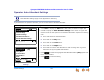
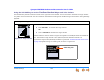
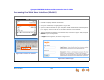
Figure 313. Ringer Volume
When not on an active call:
Press VOLUME to increase the ringer volume.
OR
Press VOLUME to decrease the ringer volume.
A screen similar to the one shown in Figure 313 appears. The example shows the volume set
to 3. The minimum ringer volume is zero (silenced) and the maximum volume is 6.
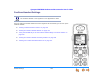
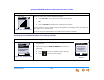
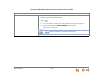
If you set the ringer to zero (silenced), the silent ring icon (see “Cordless Handset Screen Icons”
on page 40) appears during an incoming call, as shown in Figure 314.
.
Figure 314. Silenced Ringer
12:30p Feb 23
2 Missed Calls
5 New MSGs
EXT 249
John Smith
EXI T
Ringer
12:30p Feb. 23
2 Missed Calls
5 New MSGs
EXT 249
John Smith
IGNORE FWD-V M
INCOMING
Graham Bell
232 -555-0176
Silent Ring Icon