
User`s guide

Deskset Settings 227
Synapse SB67030 Deskset and Accessories User’s Guide
Viewing the Cordless Handset Product ID
To view the Product ID:
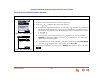
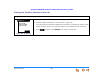
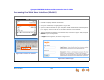
Figure 318. Product ID
1. Press OPTIONS, then 5 to display the Settings menu shown in Figure 316.
2. Press 5 to display the Product ID screen shown in Figure 318.
This page displays the Handset’s identification information, including serial number, model
number, software version, and registration status. This information cannot be altered.
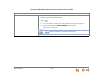
3. Press to return to the Settings menu shown in Figure 316.
EXI T
ID #: 013DB18C9C
Model #: 67040
SW Ve rs ion: XXXX
Registered: YES
PRODUCT ID