
User`s guide

Synapse SB67030 Deskset and Accessories User’s Guide
Web Interface 228
C
HAPTER
11
W
EB
I
NTERFACE
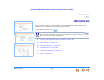
Use an Internet browser to access the Web User Interface (WebUI) that resides on the
Deskset. You can configure your Deskset using the WebUI.
To save WebUI changes, click .
“Accessing the Web User Interface (WebUI)” on page 229
“Basic Settings” on page 231
“Extension Directory” on page 233
“Quick-Dial Keys” on page 236
“Voicemail Distribution” on page 237
“Help” on page 240.
If you type an invalid value into one of the fields on the web page, clicking
does not save the page. An error message appears at the top of the page. The field
with the incorrect value is highlighted.