
User`s guide

Overview 28
Synapse SB67030 Deskset and Accessories User’s Guide
Call Status LEDs
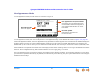
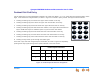
The Call Status LED flash patterns indicate call status as described in Table 5. In Call Appearance mode, the LEDs indicate call
status for a single Deskset. In Line Appearance mode, all Desksets that share lines also display the same LED activity. For example,
if someone puts a call on line 3 on hold, the Line Appearance key for line 3 flashes slowly on all the Desksets that share PSTN
line 3.
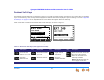
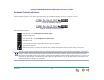
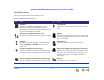
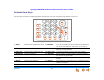
Conference
Indicates a conference call.
Conference On Hold
Flashes when a conference call is on hold.
Cordless Handset (Call Appearance mode only)
This icon indicates that the optional Cordless
Handset is currently in control of operations.
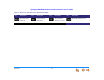
Table 5. Deskset Call Appearance LED Activity
LED Activity Description
Off No Call
Steady On Active Call
Fast Flash Ringing Call
Slow Flash Held Call
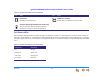
Table 4. Deskset Call Status Icons (Continued)
Icon Status Icon Status