
User`s guide

Call Management 82
Synapse SB67030 Deskset and Accessories User’s Guide
Transferring a Call Overview
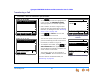
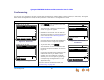
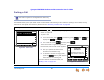
You can transfer an active or a held call to an internal extension or outside number.
The transfer recipient does not have to talk to you before receiving the transferred call. If you do not talk to the transfer recipient
before transferring the call, you are making an “unsupervised” transfer. If you talk to the transfer recipient before completing the
transfer, you are making a “supervised” transfer.
You can transfer a call to an outside number only if this function has been enabled by your system administrator. The call transfer
function is enabled by default.
Transfer Rules
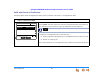
The following rules apply when transferring a call:
An extension can transfer only one call at a time.
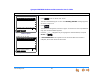
The Transfer action can be canceled by pressing CANCEL. The call remains on hold.
To transfer calls with the Cordless Handset, see “Transferring” on page 93.
This section applies to Call Appearance mode only. To make calls available to other Desksets when your system is in
Line Appearance mode, put a call on hold. Someone at another Deskset can retrieve the call if that line has been assigned
to their Deskset as described in “Placing a Call on Hold (Line Appearance Mode)” on page 81. To view and access held
calls on all lines, see “Accessing the Held Calls List (Line Appearance mode)” on page 73.